Showing posts with label android. Show all posts

 Android 14 has officially arrived, bringing with it a wealth of new features, optimizations, and refinements designed to elevate your smartphone experience. This release isn’t just an iterative update; it introduces meaningful changes across performance, privacy, and customization to ensure users get the most out of their devices. Whether you are a casual user, a tech enthusiast, or a professional relying on your phone, Android 14’s improvements will undoubtedly catch your attention. Let’s dive into the most exciting enhancements that make this update a must-have.

Refined User Interface and Customization Options

Android 14 builds on the visual and customization innovations introduced in previous versions. Material You, Google’s dynamic design language, has been taken to new heights. Users can now enjoy deeper customization of themes and widgets, with the ability to fine-tune colors, icons, and text across the system UI. A greater range of widget sizes and transparency settings ensures a more personalized home screen that aligns with your style.

Additionally, Android 14 offers custom lock screen clocks, allowing users to choose from multiple designs and layouts. With more granular control over system fonts and text scaling, you’ll find it easier than ever to create a visually appealing and accessible mobile experience.

Performance Enhancements for Smoother Operations

The Android 14 update brings noticeable improvements in performance, ensuring faster app launches and seamless multitasking. Google has optimized background processes to minimize battery consumption without compromising speed. The OS also features adaptive memory management, which helps apps perform better by efficiently allocating resources in real time.

For gamers, game-loading times are significantly reduced thanks to GPU optimizations introduced in Android 14. The update also offers support for higher refresh rates, ensuring a smoother visual experience, particularly on devices with 120Hz and 144Hz screens.

Privacy and Security Improvements

Android 14 takes privacy to the next level with improved permission management. A new feature known as "Privacy Dashboard 2.0" allows users to monitor how frequently apps access sensitive data such as the camera, microphone, and location. This enhanced transparency gives you more control over how apps interact with your personal information.

In addition, the update introduces temporary app permissions, letting users grant short-term access to apps for specific functions. For instance, you can allow an app to access your location only once, adding an extra layer of security.

The end-to-end encryption for messages has also been refined, now supporting more messaging apps to ensure that your conversations remain private and secure.

Improved Battery Life with Smart Power Management

Android 14 is built with battery longevity in mind. With AI-driven background process management, the operating system intelligently limits apps running in the background to conserve power. A new Battery Health section has been added to settings, providing detailed insights into your phone’s battery performance and offering tips to extend its lifespan.

The update also introduces a Low Battery Smart Action that can trigger pre-configured routines, such as dimming the display or disabling non-essential services, whenever your battery level falls below a certain threshold.

Advanced Accessibility Features for Everyone

Accessibility has been a core focus in Android 14. The latest version introduces custom magnification settings, giving users more control over zoom levels across individual apps. Additionally, the non-linear font scaling ensures that large text remains readable without breaking the layout of apps and menus.

Voice control enthusiasts will benefit from enhanced voice recognition, now capable of understanding complex commands and offering faster response times. Android 14 also introduces real-time captions with language support for more spoken languages, improving accessibility for users with hearing impairments.

Seamless Connectivity and Device Integration

Android 14 offers better support for wearable devices and seamless multi-device interactions. With the new Fast Pair enhancements, connecting Bluetooth accessories and wearables is quicker and more reliable. The update also extends cross-device copy-and-paste functionality, allowing you to transfer text, images, and links effortlessly between your Android phone, tablet, and Chromebook.

Google has optimized Nearby Share to improve file transfer speeds and reliability, even with large files. In addition, Wi-Fi Passpoint improvements ensure automatic and secure connections to trusted networks, making your online experience smoother.

Smarter Notifications and Enhanced Alerts

Android 14 introduces smarter notification management to help users stay organized. Notifications are now grouped more intuitively by app and category, reducing clutter. You can also set custom priority levels for alerts, ensuring that essential notifications grab your attention while low-priority ones remain unobtrusive.

Furthermore, the do-not-disturb mode has been enhanced with more granular controls, allowing you to customize exceptions for specific contacts or apps.

Advanced Camera and Multimedia Features

For photography enthusiasts, Android 14 brings support for Ultra HDR image capture, producing photos with richer colors and improved contrast. The built-in camera app now offers more manual control settings, making it easier for users to tweak shutter speed, ISO, and exposure levels.

The update also adds enhanced codec support for 10-bit video recording, delivering higher-quality videos. Users will benefit from faster photo and video processing times, thanks to optimizations in the camera pipeline.

Music lovers can look forward to better audio performance, with native support for lossless audio formats and Bluetooth LE Audio, ensuring high-quality wireless sound. Streaming apps also benefit from improved casting features, providing a smoother experience when sharing content across screens.

Support for New Technologies and Standards

Android 14 is future-ready with support for satellite communication, laying the groundwork for enhanced connectivity in remote areas. Developers will also appreciate expanded APIs for foldable devices and tablets, encouraging more optimized apps for larger screens and dual-display devices.

Furthermore, the update provides improved support for 5G networks, ensuring faster download speeds and lower latency for supported devices. Android 14 also offers native support for passkeys, paving the way for a passwordless future and enabling more secure logins across websites and apps.

Conclusion: A Comprehensive Update for a Superior Experience

Android 14 brings a compelling mix of performance upgrades, enhanced customization, better security, and smarter connectivity. Whether you are looking to extend your device’s battery life, enjoy better multimedia experiences, or take control of your privacy, this update offers meaningful improvements that enrich every aspect of your mobile experience. With Android 14, Google has taken significant strides to ensure that users can enjoy a seamless, secure, and customizable experience, paving the way for the next generation of mobile technology.


This system is a combination of web as well as android application where the user will be using the android application and admin as well as HR will work with web application. This application is meant for field work Employers. The Employee will have this application in his android phone, when the user will login to the system his image will be captured and his GPS location will be send to the admin where admin will view image and GPS location in web application. 
After Login, GPS location of the employee will be tracked automatically by the system and send to the admin after every 5 minutes .When employee logout the system again the image will be captured as well as GPS location will be send to the admin. In order to keep track of the attendance as well as payroll of the employee, this system plays a major role. The role of the admin is to add new employee by entering his personal details and admin will provide the employee with identity number and password to the user so that he can access the application in his android phone. Admin can view the GPS location of the employee by entering Employee Identity Number as well as Date. Admin can check the salary of the particular employee by entering date and employee ID. 
Admin can view latitude and longitude of the GPS location sent by the employee. Admin can change the password of the employee. When the HR login to the system he can check the GPS location of the employee by entering employee ID and date. HR can check salary of the particular employee by entering employee identity number and date. This application helps admin and hr to easily check the salary of the employee. Since GPS location of the employee is tracked, so employee will not attempt to add proxy attendance.
Advantages
  • This System helps the admin to keep track of the employee’s who go for field work.
  • Since GPS location of the employee is tracked, so employee will not attempt to add proxy attendance.
Disadvantages
  • All employees must have an android phone to use this application.
  • If camera gets corrupted at user’s side this system fails to work.

A local train ticketing system for local trains that allows users to book local train tickets and get ticket receipt online. This local train project provides login rights for normal users and admin. A normal user may login and get a ticket online, print it and travel by train. The ticketing process consists of a ticket booking form. 

The form allows the user to choose his source and destination. The source is the station from where the user will be boarding the train. Destination is the station he needs to get down at. The project database is already filled with stations on Mumbai western central and harbor line. It can be modified for any other city as needed. The system also consists of an option to select weather ticket is a single journey or a return ticket and the journey will be commenced on first class or a second class. It also consists of an admin account. The admin may recharge user account balance and check for various journey tickets processed in the system.
Advantages
  • It helps passengers get tickets with ease.
  • Passengers need not stand in queues for getting ticket.
  • No need to print tickets.
Disadvantages
  • Security and ticket duplication issue.
  • Railway fare and rates must be updated regularly.

Microsoft_create_ iOS_ and_ Android_ apps_ with_ Windows

At Build 2017, Microsoft showed off the cross-platform power of its .NET framework, by demonstrating how apps could be easily created on a Windows PC and work on iOS, Android, and Windows all through a single shared code base.
But Microsoft didn’t stop there. While the .NET Standard 2.0 code base allows apps to share code, the original XAML libraries for building user interfaces weren’t cross compatible. So, Microsoft also announced XAML Standard 1.0, a unified markup language for user interface elements that works across Windows, iOS, and Android.
Or, in simpler terms — Microsoft now has a shared code library that allows developers to easily create apps for all three platforms with the same user interface with a minimal amount of effort. Which can only be a good thing for everyone, regardless of the OS you prefer.


Additionally, Microsoft announced functionality for developing iOS apps directly from a Windows PC using a new tool called the Xamarin Live Player. It’s an iOS application that developers can pair with Visual Studio and deploy code to an iOS device, while still maintaining the same debugging utilities of Visual Studio. Developers will also be able to use the same live editing tools from Visual Studio in iOS developement.

What is a Hybrid Mobile App?

Hybrid mobile apps are like any other apps you’ll find on your phone. They install on your device. You can find them in app stores. With them, you can play games, engage your friends through social media, take photos, track your health, and much more.
Like the websites on the internet, hybrid mobile apps are built with a combination of web technologies like HTML, CSS, and JavaScript. The key difference is that hybrid apps are hosted inside a native application that utilizes a mobile platform’s WebView. (You can think of the WebView as a chromeless browser window that’s typically configured to run fullscreen.) This enables them to access device capabilities such as the accelerometer, camera, contacts, and more. These are capabilities that are often restricted to access from inside mobile browsers. Furthermore, hybrid mobile apps can include native UI elements in situations where necessary, as evidenced by Basecamp’s approach towards hybrid mobile app development.
It can be very difficult to tell how a mobile application is built. Hybrid mobile applications are no different. A well-written hybrid app shouldn’t look or behave any differently than its native equivalent. More importantly, users don’t care either way. They simply want an application that works well. Trying to figure out if a mobile application is hybrid or native is like trying to differentiate rare grape varieties of wine. Unless you’re a sommelier or someone who really cares about it, it’s not terribly important. What matters is that the wine tastes good. The same can be said for hybrid mobile applications; so long as the application does what it’s supposed to do, who really cares how it was built?
The time has never been better to learn mobile application development. For many app ideas, you don’t even need any prior native development knowledge. You can get started today with knowledge of HTML, CSS and JavaScript. Unlike native mobile development, mobile applications using web technologies can support many mobile platforms.
There are many tools and framework available to help you create Mobile applications. In this article, we’ll look at our Top 14

IONIC

Ion Screenshot
IONIC is one of the most promising HTML 5 mobile application frameworks. Built using SASS, it provides many UI components to help develop rich and interactive apps. It uses the JavaScript MVVM framework, AngularJS to power apps. Two-way data binding, interaction with backend services and APIs makes AngularJS a mobile developer’s common choice. With the coming release of AngularJS 2.0, focused on mobile, it’s sure to gain even more popularity.
The team at IONIC will soon be introducing an easier way to create IONIC apps with IONIC creator. This will be released soon and will have drag and drop functionality to get started with app development in minutes.
www.sitepoint.com have published several articles on Ionic, including getting started with mobile app development and getting started with firefox os game development.

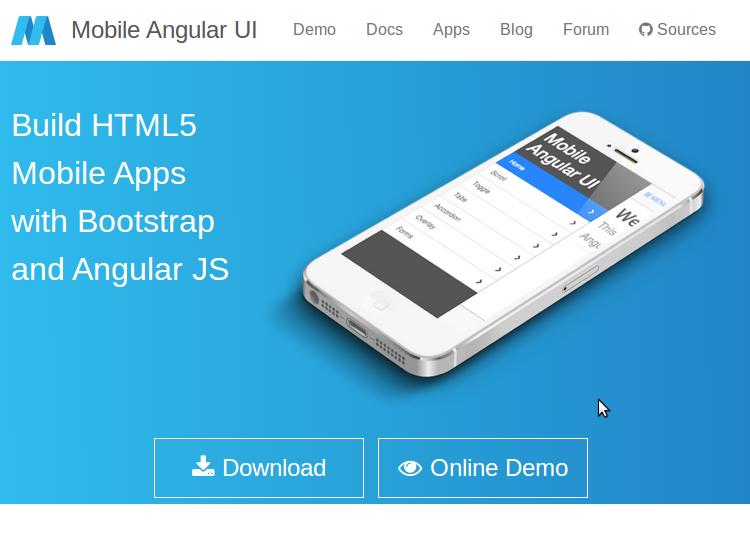
Mobile Angular UI

Mobile Angular UI
Mobile Angular UI is an HTML 5 framework which uses bootstrap 3 and AngularJS to create interactive mobile apps.
The main features of Mobile AngularUI include:
  • Bootstrap 3
  • AngularJS
  • Bootstrap 3 mobile components such as switches, overlays and sidebars which are missing in normal bootstrap.
  • AngularJS modules such as angular-route, angular-touch and angular-animate
Responsive media queries are stripped out of bootstrap as separate files, you only need to include what you need. Mobile Angular UI doesn’t have any jQuery dependencies, all you need are some AngularJS directives to create awesome mobile user experiences.
Take a look at the Mobile Angular UI demo page to see it in action. If you want to dig deeper, I would recommend reading our article on getting started with Mobile Angular UI.

Intel XDK

Intel XDK
Intel XDK is a cross platform application tool developed by Intel. Getting started with Intel XDK is easy, all you need is to download their application which is free and available for Linux, Windows and Mac. It provides a number of templates to get started and supports a number of UI frameworks such as Twitter bootstrap, jQuery Mobile and Topcoat.
Intel XDK provides a live preview on the connected device whilst you are developing along side many other useful tools.
On a personal note, I think development using Intel XDK was the easiest. It uses a drag and drop approach, although it does create a lot of unnecessary code.
Sitepoint’s -Introduction to Intel XDK is a great tutorial to get started developing with the platform.

Appcelerator Titanium

Titanium
Appcelerator’s Titanium is an open source mobile application framework that provides an environment to create native apps for several mobile platforms
Titanium is a complete solution for creating hybrid mobile apps with all you need in one place. To get started with Titanium download Titanium studio. The Titanium SDK is equipped with a number of mobile platform APIs and Cloud service to use as an app backend. It comes with platform independent APIs which makes it easier to access phone hardware.
Titanium uses Alloy, a MVC framework to enable rapid development of mobile apps. Modules created using Alloy are easy to reuse across different apps, hence significantly reducing the development time and the lines of code.
Titanium studio comes with some code samples to get started and we hope to have a tutorial on SitePoint soon.

Sencha Touch

Sencha Touch
Sencha Touch is an HTML 5 mobile app framework for creating apps for several platforms including iOS, Android and Blackberry. It has been in existence for some years now and is popular among hybrid mobile application developers.
Sencha Touch scores highly against it’s competitors by providing a native look and feel across all of the platforms it supports.
Getting started with Sencha Touch isn’t that difficult but in order to get the best out of Sencha Touch, one needs to invest a considerable amount of time.
To get a feel of a Sencha Touch app, take a look at the samples provided on its official page. To get started developing using Sencha, read their official docs or our introductory tutorial from last year.

Kendo UI

Telerik’s Kendo UI is an HTML 5 framework for creating cross platform mobile applications. Kendo UI relies heavily on jQuery and has a number of jQuery based widgets.
Learning Kendo UI is not difficult, developers familiar with jQuery will find Kendo UI easy to learn. Kendo UI has open sourced most of Kendo UI’s toolset and JavaScript framework features. However most of the commonly used widgets are still under a commercial license.
To get started developing with Kendo UI, refer to the official documentation. They also have a number of video tutorials to help learn the framework.

PhoneGap

PhoneGap
PhoneGap is the odd one out in this list as it’s not a framework for creating an app, but for packaging and releasing an app. PhoneGap is based on the open source Cordova and is the commercial version owned by Adobe. With a dedicated support team, PhoneGap is popular amongst many mobile developers.
You can use any choice of JavaScript or UI frameworks to get started with PhoneGap. jQuery Mobile alongside KnockOut.jsor AngularJS is a nice combination. Once you are done with your code, PhoneGap takes it from there and wraps it based on the intended platform. Applications built using PhoneGap use a web view to render their content. PhoneGap has a minimal set of web APIs to access phone hardware features and it’s possible to write custom plugins to suit requirements.
Refer to the PhoneGap documentation to get started, (sitepoint.com)-.or Building a currency converter using PhoneGap is a good starting point.

Framework 7


Framework 7 leads the race among hybrid app frameworks in iOS mobile apps development space.

The main advantage of Framework 7 is that it empowers developers to build iOS and Android apps with just CSS, JavaScript and HTML, the technology that web developers already know. Framework 7 is so close to native iOS apps that it even provides features like swipe back, out of the box. There are many other ready to use UI elements including list views, media lists, side panels, modals etc., that can be used as is without the need to get into JavaScript.

Framework 7 is completely free and open source under MIT license. You can read more about Framework 7 at its official website - Framework7.

JQuery Mobile


jQuery suite is still in the game and holding the ground tight against the feature rich hybrid mobile app development frameworks like Ionic, Onsen UI and Framework 7. The die-hard jQuey fans community has built this minimalist jQuery Mobile package on top of solid jQueyr and jQuery UI foundation.

The focus of jQuery mobile is to empower developers to build web apps and mobile apps that run seamlessly and with unique user experience across mobiles, tablets and desktops. It doesn't focus much on providing native look and feel to apps for individual platforms like iOS or Android.

You can read more on jQuery Mobile at  - jquerymobile.com.

Mobile Angular UI


This one is for the fans of Bootstrap and Angular. With Mobile Angular UI, you get best of both Bootstrap 3 and Angular framework to build HTML5 mobile applications. Angular UI is more like an extension to Bootstrap 3 but without any dependencies to bootstrap js or jQuery. It utilizes fastclick.js and overthrow.js for smooth and better mobile experience.

Mobile Angular UI provides directives for building UI component like overlays, switches, sidebars, scrollable areas and absolute positioned navbars that don’t bounce on scroll. These essentially are the components that you find missing in Bootstrap 3 for building mobile apps.

Mobile Angular UI is available as open source and free to use under MIT license, you can get the source code at github - mobile-angular-ui.

Read more about Mobile Angular UI at official website- mobileangularui.com.

Famo.us


Famo.us is another powerhouse html5 apps development framework and targets to provide near native experience in hybrid apps. The main difference between famo.us and other hybrid html5 frameworks is that it focuses more on graphics rendering, 2d and 3d and hence is more suitable for games development.

Read more about Famo.us at official website - famous.org.

Monaca


Monaca is another commercial mobile app development platform with a huge list of products for managing end to end app development life cycle. Monaca features a cloud based IDE for developing hybrid mobile apps and lets you compile and publish to multiple platforms, utilizing Cordova.

The range of modules and products that Monaca offers is huge and i prefer to cover that in a separate article, keep watching for that and until then read more about Monaca at the official website - monaca.io.

Trigger.IO - The Dark Horse


I have already covered 10 of the best mobile app development frameworks but am finding it a little difficult to leave Trigger.io out from this list. Trigger.io takes a different approach and doesn't utilize Cordova for native access.

Trigger.io has its own platform for bridging the gap between html5 development and native access. They claim (Though I am still in the process of validating it) that it produces hybrid applications that have much better performance than Cordova based applications.

Trigger.io uses Forge JavaScript API for access to native functions like accelerometer and camera etc. Keep an eye on Trigger.io and read more about it at its official website - trigger.io.

App.js


app.js is a JavaScript library for creating mobile web apps. It’s lightweight and unlike other frameworks, doesn’t use AngularJS. It provides several custom themes and widgets. You can write the app using zepto or jQuery. A good starting point is An intro to App.js.

Conclusion

In this article, we discussed some of the best HTML 5 mobile app development frameworks. HTML 5 mobile development is evolving day by day and there are always new options emerging. What have been your favorite frameworks to use when developing a mobile app?

Powered by Blogger.