Showing posts with label iphone. Show all posts

 As the tech industry evolves, Apple’s iPhone lineup consistently leads the charge, offering cutting-edge technology, enhanced performance, and top-tier design. With the release of new iPhones in 2024, there’s an iPhone tailored to every preference and need. Whether you’re after high-speed processing, a stellar camera system, or budget-friendly functionality, the iPhones of 2024 have something to offer.

In this comprehensive guide, we explore each of the latest iPhones, comparing features, specifications, and unique attributes. If you’re wondering which iPhone model is the best fit for your lifestyle and needs, read on to find out.

1. iPhone 16 Pro Max: The Ultimate Powerhouse

Apple’s iPhone 16 Pro Max represents the pinnacle of this year’s lineup, delivering unmatched power, an exceptional camera system, and a premium build.

Key Features

  • Display: The iPhone 16 Pro Max features a 6.7-inch OLED Super Retina XDR display with ProMotion. This adaptive refresh rate up to 120Hz offers smoother interactions, from scrolling to gaming, along with True Tone for comfortable viewing.

  • Performance: Powered by the new A18 Bionic chip, this device provides incredible processing speeds. With more efficient power usage, it also contributes to longer battery life and smooth multitasking across demanding apps.

  • Camera System: For photography enthusiasts, the Pro Max includes a 48MP primary camera, capable of capturing details even in low light, alongside a 12MP ultra-wide and a 12MP telephoto lens with 5x optical zoom. This camera setup is perfect for those seeking high-quality images with minimal effort.

  • Battery Life: This model boasts up to 30 hours of battery life with optimized usage, making it ideal for users who rely on their phone all day.

  • Storage Options: Starting from 256GB up to a whopping 1TB, the iPhone 16 Pro Max suits heavy content creators and users who need significant storage.

Ideal For: Users who want the absolute best in performance, display, and camera capabilities, especially for photography, videography, and gaming.

2. iPhone 16 Pro: Power Meets Compact Design

The iPhone 16 Pro delivers much of the power of the Pro Max in a smaller, more portable design. If you’re looking for top performance but prefer a compact form, this model is a standout choice.

Key Features

  • Display: Slightly smaller than the Pro Max, the iPhone 16 Pro’s 6.1-inch Super Retina XDR display offers vivid colors and a 120Hz refresh rate, maintaining smooth visuals across different activities.

  • Performance: Like its larger counterpart, it is powered by the A18 Bionic chip and optimized for excellent battery efficiency.

  • Camera System: The iPhone 16 Pro’s triple-lens camera includes a 48MP primary sensor, a 12MP ultra-wide lens, and a 3x telephoto lens, making it a great choice for on-the-go photographers.

  • Battery Life: With up to 26 hours of battery life, it’s dependable throughout the day.

  • Storage Options: Available in 128GB, 256GB, 512GB, and 1TB options.

Ideal For: Those who seek professional-grade features in a smaller, easier-to-carry size, ideal for everyday use and casual photography.

3. iPhone 16: Premium Experience at a Mid-Range Price

The iPhone 16 provides several of the Pro features but at a more accessible price. With a solid balance of performance, display, and camera quality, it’s an appealing choice for those who want the essentials of the Pro models without a high price tag.

Key Features

  • Display: A 6.1-inch OLED Super Retina XDR display, delivering stunning visuals, but without the ProMotion 120Hz refresh rate.

  • Performance: Equipped with the A17 Bionic chip, this iPhone delivers impressive speeds, though slightly less powerful than the A18 in the Pro models.

  • Camera System: With a 48MP primary camera and a 12MP ultra-wide, it’s more than capable of handling everyday photography needs with ease.

  • Battery Life: Expect up to 24 hours of battery life, suitable for typical daily use.

  • Storage Options: Ranging from 128GB to 512GB, offering plenty of space for apps, photos, and files.

Ideal For: Users who want an impressive iPhone with robust features without needing the highest-end Pro features. This model is perfect for most everyday uses, including social media, photography, and productivity.

4. iPhone 16 Mini: Compact Power in a Small Package

Apple brings back the Mini model for those who appreciate a smaller phone without compromising on quality. The iPhone 16 Mini is easy to carry, fits comfortably in any pocket, and yet remains powerful.

Key Features

  • Display: The 5.4-inch Super Retina XDR display provides bright, vibrant visuals in a compact design.

  • Performance: Powered by the A17 Bionic chip, it’s slightly less powerful than the Pro models but still more than capable of handling daily tasks and multitasking.

  • Camera System: The dual-camera system includes a 48MP primary sensor and a 12MP ultra-wide lens, capable of capturing stunning photos despite its size.

  • Battery Life: Lasting up to 20 hours, the Mini can get through a typical day with moderate usage.

  • Storage Options: Available in 128GB and 256GB configurations, ensuring ample space for a smaller, more economical device.

Ideal For: Those who prefer smaller devices without sacrificing quality. It’s perfect for users on the go who want a capable and portable phone.

5. iPhone SE (2024): Best Budget Option

For those who need an iPhone experience at a more affordable price, the iPhone SE (2024) offers fantastic value with its balance of power and affordability.

Key Features

  • Display: A 4.7-inch LCD Retina display that provides sharp and clear visuals. While it doesn’t have the OLED technology of the more premium models, it’s reliable and easy on the eyes.

  • Performance: The SE is powered by the A16 Bionic chip, which provides plenty of processing power, even if it’s not the latest generation. This chip ensures smooth performance for most standard tasks.

  • Camera System: A single 12MP primary camera, effective for casual photos, along with software enhancements to improve image quality.

  • Battery Life: Lasts up to 18 hours on average, ideal for lighter usage.

  • Storage Options: Available in 64GB, 128GB, and 256GB, the SE model is tailored for users who prioritize function over space.

Ideal For: Individuals who need an iPhone with Apple’s hallmark quality and performance at an affordable price. It’s well-suited for basic tasks, such as browsing, messaging, and light photography.

Choosing the Right iPhone for You

Each iPhone model in 2024 provides unique advantages, from the premium features of the Pro Max to the affordability of the SE. Selecting the ideal model depends on your priorities:

  • Power Users: For those who need the best Apple offers in processing power, display, and camera functionality, the iPhone 16 Pro Max is the ultimate choice.

  • Photography Enthusiasts: Both the iPhone 16 Pro and Pro Max are excellent choices for photography, with advanced camera setups and enhanced optical zoom capabilities.

  • Everyday Users: If you want a balance between performance and cost, the iPhone 16 provides high-quality features without reaching Pro-level prices.

  • Compact Phone Lovers: For those who prefer smaller devices, the iPhone 16 Mini offers a compact yet powerful option that’s easy to handle.

  • Budget-Conscious Buyers: The iPhone SE (2024) is the best choice for an affordable iPhone that still delivers reliable performance and Apple’s quality assurance.

Additional Considerations for 2024’s iPhone Models

When choosing an iPhone, it’s also essential to consider factors beyond technical specifications. Here are a few aspects to bear in mind:

  • iOS Compatibility: All models are compatible with the latest iOS updates, ensuring access to Apple’s newest features and security improvements.

  • 5G Support: Every 2024 model includes 5G capabilities, making them ready for the fastest network speeds.

  • Sustainability: Apple’s commitment to eco-friendly materials and recycling is evident across all models, as they incorporate recycled materials and strive for reduced environmental impact.

Conclusion

With the 2024 iPhone lineup, Apple has something for everyone, from the power-packed Pro Max to the budget-friendly SE. Your choice will depend on factors like budget, usage habits, and preferences in size and camera quality. Whatever you decide, rest assured that each iPhone model is crafted with Apple’s commitment to quality, innovation, and user satisfaction.

The iPhones of 2024 are designed to meet diverse needs and expectations, ensuring that each user finds their ideal match. By understanding each model’s strengths and features, you’ll be equipped to select the iPhone that best fits your lifestyle.


iphone _update 13 _https://amzn.to/2LDBK5U
Apple's new iOS 13 update is presently accessible to download on compatible iPhones today, with an iPhone 6S discharge to pursue soon. The greatest new expansion is Dark Mode, which permits everything from iMessage, Photos, and Settings to change to an a lot darker topic all through the working framework.
Outsider applications will have the option to exploit Dark Mode to consequently change to
darker subjects when it's empowered in iOS 13, and there's even a switch that can be
flipped in the Control Center on the off chance that you need to alter from the default
white to dark at evening time. The second-greatest recognizable component is another
swipe mode on the console, which enables you to swipe words for quicker composing. 

Somewhere else, iOS 13 incorporates a few refinements to applications like Maps, Photos,
and Reminders. Maps currently incorporates continuous open travel gauges and a Google
Street View-like mode. Photographs has some incredible video altering upgrades, including
harvest, and Reminders has been updated with another plan that incorporates another
today segment. Apple has additionally consolidated its Find My iPhone and Find My
Friends applications into a solitary Find My application, and the Health application
currently has a worked in period tracker to anticipate menstrual cycles. 

Buy Now  - Apple iPhone X (64GB) - Silver

While the iOS 13 update arrives today, Apple is likewise presenting iOS 13.1 on September
30th. The iOS 13.1 update will incorporate updates that were initially made arrangements
for iOS 13, including Siri perusing approaching messages resoundingly, Siri easy routes
having the option to be added to HomeKit robotizations, and the sharing of an ETA with
companions. iOS 13.1 will likewise agree with the new iPadOS 13.1 update that will
advance toward Apple's tablets on September 30th. 
Buy Now  - Apple iPhone Xs Max (256GB) - Gold

iOS 13.1 could be the update to wait for, as applications should be refreshed for the new
OS, and there are in excess of a couple of cases of bugs with this most recent update.
Security specialists even found a lock screen abuse in iOS 13 that ought to be fixed in
the up and coming 13.1 update. In case despite everything you're keen on getting Dark
Mode early, check Settings > Software Update to get iOS 13 today.

Apple has a new deal for US customers who haven’t signed up for iCloud yet. 9to5Macspotted a Reddit thread that pointed to the deal: new subscribers on the four big US carriers can get 200GB free for two months.

The deal appears to be only be available in the US for customers who haven’t signed up for the service yet. As to be expected, there’s some fine print: those customers will be charged $2.99 a month after that two month window.

 
apple_storage_200gb

As we noted back in May, it’s certainly an obvious ploy on Apple’s part to get customers signed up for its services, and it’s a bit irritating, especially if you’ve already plunked down hundreds of dollars for a new device. Plus, Apple already offers 5GB for free for users, and it introduced a free month at the 50GB, 200GB and 2TB levels to new subscribers earlier this year.

But while this isn’t a huge advance over those other deals, having that extra month could be that extra bit of enticement that you might need, especially if iCloud is something that you’ve been eyeing.

What is a Hybrid Mobile App?

Hybrid mobile apps are like any other apps you’ll find on your phone. They install on your device. You can find them in app stores. With them, you can play games, engage your friends through social media, take photos, track your health, and much more.
Like the websites on the internet, hybrid mobile apps are built with a combination of web technologies like HTML, CSS, and JavaScript. The key difference is that hybrid apps are hosted inside a native application that utilizes a mobile platform’s WebView. (You can think of the WebView as a chromeless browser window that’s typically configured to run fullscreen.) This enables them to access device capabilities such as the accelerometer, camera, contacts, and more. These are capabilities that are often restricted to access from inside mobile browsers. Furthermore, hybrid mobile apps can include native UI elements in situations where necessary, as evidenced by Basecamp’s approach towards hybrid mobile app development.
It can be very difficult to tell how a mobile application is built. Hybrid mobile applications are no different. A well-written hybrid app shouldn’t look or behave any differently than its native equivalent. More importantly, users don’t care either way. They simply want an application that works well. Trying to figure out if a mobile application is hybrid or native is like trying to differentiate rare grape varieties of wine. Unless you’re a sommelier or someone who really cares about it, it’s not terribly important. What matters is that the wine tastes good. The same can be said for hybrid mobile applications; so long as the application does what it’s supposed to do, who really cares how it was built?
The time has never been better to learn mobile application development. For many app ideas, you don’t even need any prior native development knowledge. You can get started today with knowledge of HTML, CSS and JavaScript. Unlike native mobile development, mobile applications using web technologies can support many mobile platforms.
There are many tools and framework available to help you create Mobile applications. In this article, we’ll look at our Top 14

IONIC

Ion Screenshot
IONIC is one of the most promising HTML 5 mobile application frameworks. Built using SASS, it provides many UI components to help develop rich and interactive apps. It uses the JavaScript MVVM framework, AngularJS to power apps. Two-way data binding, interaction with backend services and APIs makes AngularJS a mobile developer’s common choice. With the coming release of AngularJS 2.0, focused on mobile, it’s sure to gain even more popularity.
The team at IONIC will soon be introducing an easier way to create IONIC apps with IONIC creator. This will be released soon and will have drag and drop functionality to get started with app development in minutes.
www.sitepoint.com have published several articles on Ionic, including getting started with mobile app development and getting started with firefox os game development.

Mobile Angular UI

Mobile Angular UI
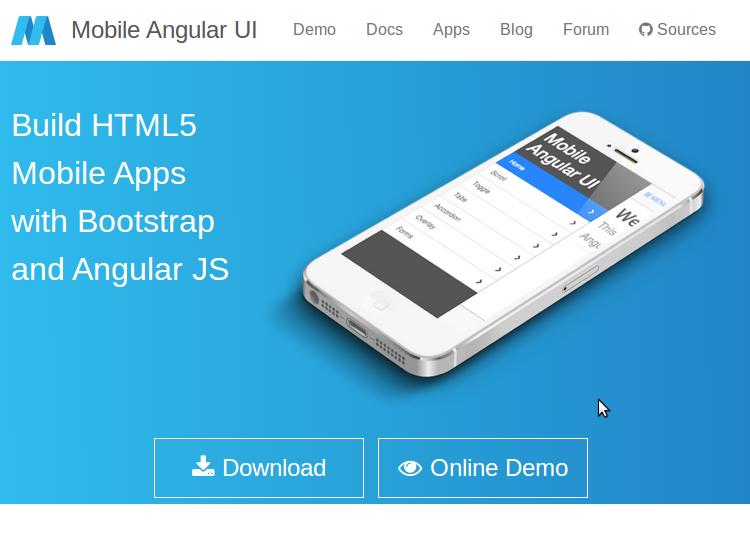
Mobile Angular UI is an HTML 5 framework which uses bootstrap 3 and AngularJS to create interactive mobile apps.
The main features of Mobile AngularUI include:
  • Bootstrap 3
  • AngularJS
  • Bootstrap 3 mobile components such as switches, overlays and sidebars which are missing in normal bootstrap.
  • AngularJS modules such as angular-route, angular-touch and angular-animate
Responsive media queries are stripped out of bootstrap as separate files, you only need to include what you need. Mobile Angular UI doesn’t have any jQuery dependencies, all you need are some AngularJS directives to create awesome mobile user experiences.
Take a look at the Mobile Angular UI demo page to see it in action. If you want to dig deeper, I would recommend reading our article on getting started with Mobile Angular UI.

Intel XDK

Intel XDK
Intel XDK is a cross platform application tool developed by Intel. Getting started with Intel XDK is easy, all you need is to download their application which is free and available for Linux, Windows and Mac. It provides a number of templates to get started and supports a number of UI frameworks such as Twitter bootstrap, jQuery Mobile and Topcoat.
Intel XDK provides a live preview on the connected device whilst you are developing along side many other useful tools.
On a personal note, I think development using Intel XDK was the easiest. It uses a drag and drop approach, although it does create a lot of unnecessary code.
Sitepoint’s -Introduction to Intel XDK is a great tutorial to get started developing with the platform.

Appcelerator Titanium

Titanium
Appcelerator’s Titanium is an open source mobile application framework that provides an environment to create native apps for several mobile platforms
Titanium is a complete solution for creating hybrid mobile apps with all you need in one place. To get started with Titanium download Titanium studio. The Titanium SDK is equipped with a number of mobile platform APIs and Cloud service to use as an app backend. It comes with platform independent APIs which makes it easier to access phone hardware.
Titanium uses Alloy, a MVC framework to enable rapid development of mobile apps. Modules created using Alloy are easy to reuse across different apps, hence significantly reducing the development time and the lines of code.
Titanium studio comes with some code samples to get started and we hope to have a tutorial on SitePoint soon.

Sencha Touch

Sencha Touch
Sencha Touch is an HTML 5 mobile app framework for creating apps for several platforms including iOS, Android and Blackberry. It has been in existence for some years now and is popular among hybrid mobile application developers.
Sencha Touch scores highly against it’s competitors by providing a native look and feel across all of the platforms it supports.
Getting started with Sencha Touch isn’t that difficult but in order to get the best out of Sencha Touch, one needs to invest a considerable amount of time.
To get a feel of a Sencha Touch app, take a look at the samples provided on its official page. To get started developing using Sencha, read their official docs or our introductory tutorial from last year.

Kendo UI

Telerik’s Kendo UI is an HTML 5 framework for creating cross platform mobile applications. Kendo UI relies heavily on jQuery and has a number of jQuery based widgets.
Learning Kendo UI is not difficult, developers familiar with jQuery will find Kendo UI easy to learn. Kendo UI has open sourced most of Kendo UI’s toolset and JavaScript framework features. However most of the commonly used widgets are still under a commercial license.
To get started developing with Kendo UI, refer to the official documentation. They also have a number of video tutorials to help learn the framework.

PhoneGap

PhoneGap
PhoneGap is the odd one out in this list as it’s not a framework for creating an app, but for packaging and releasing an app. PhoneGap is based on the open source Cordova and is the commercial version owned by Adobe. With a dedicated support team, PhoneGap is popular amongst many mobile developers.
You can use any choice of JavaScript or UI frameworks to get started with PhoneGap. jQuery Mobile alongside KnockOut.jsor AngularJS is a nice combination. Once you are done with your code, PhoneGap takes it from there and wraps it based on the intended platform. Applications built using PhoneGap use a web view to render their content. PhoneGap has a minimal set of web APIs to access phone hardware features and it’s possible to write custom plugins to suit requirements.
Refer to the PhoneGap documentation to get started, (sitepoint.com)-.or Building a currency converter using PhoneGap is a good starting point.

Framework 7


Framework 7 leads the race among hybrid app frameworks in iOS mobile apps development space.

The main advantage of Framework 7 is that it empowers developers to build iOS and Android apps with just CSS, JavaScript and HTML, the technology that web developers already know. Framework 7 is so close to native iOS apps that it even provides features like swipe back, out of the box. There are many other ready to use UI elements including list views, media lists, side panels, modals etc., that can be used as is without the need to get into JavaScript.

Framework 7 is completely free and open source under MIT license. You can read more about Framework 7 at its official website - Framework7.

JQuery Mobile


jQuery suite is still in the game and holding the ground tight against the feature rich hybrid mobile app development frameworks like Ionic, Onsen UI and Framework 7. The die-hard jQuey fans community has built this minimalist jQuery Mobile package on top of solid jQueyr and jQuery UI foundation.

The focus of jQuery mobile is to empower developers to build web apps and mobile apps that run seamlessly and with unique user experience across mobiles, tablets and desktops. It doesn't focus much on providing native look and feel to apps for individual platforms like iOS or Android.

You can read more on jQuery Mobile at  - jquerymobile.com.

Mobile Angular UI


This one is for the fans of Bootstrap and Angular. With Mobile Angular UI, you get best of both Bootstrap 3 and Angular framework to build HTML5 mobile applications. Angular UI is more like an extension to Bootstrap 3 but without any dependencies to bootstrap js or jQuery. It utilizes fastclick.js and overthrow.js for smooth and better mobile experience.

Mobile Angular UI provides directives for building UI component like overlays, switches, sidebars, scrollable areas and absolute positioned navbars that don’t bounce on scroll. These essentially are the components that you find missing in Bootstrap 3 for building mobile apps.

Mobile Angular UI is available as open source and free to use under MIT license, you can get the source code at github - mobile-angular-ui.

Read more about Mobile Angular UI at official website- mobileangularui.com.

Famo.us


Famo.us is another powerhouse html5 apps development framework and targets to provide near native experience in hybrid apps. The main difference between famo.us and other hybrid html5 frameworks is that it focuses more on graphics rendering, 2d and 3d and hence is more suitable for games development.

Read more about Famo.us at official website - famous.org.

Monaca


Monaca is another commercial mobile app development platform with a huge list of products for managing end to end app development life cycle. Monaca features a cloud based IDE for developing hybrid mobile apps and lets you compile and publish to multiple platforms, utilizing Cordova.

The range of modules and products that Monaca offers is huge and i prefer to cover that in a separate article, keep watching for that and until then read more about Monaca at the official website - monaca.io.

Trigger.IO - The Dark Horse


I have already covered 10 of the best mobile app development frameworks but am finding it a little difficult to leave Trigger.io out from this list. Trigger.io takes a different approach and doesn't utilize Cordova for native access.

Trigger.io has its own platform for bridging the gap between html5 development and native access. They claim (Though I am still in the process of validating it) that it produces hybrid applications that have much better performance than Cordova based applications.

Trigger.io uses Forge JavaScript API for access to native functions like accelerometer and camera etc. Keep an eye on Trigger.io and read more about it at its official website - trigger.io.

App.js


app.js is a JavaScript library for creating mobile web apps. It’s lightweight and unlike other frameworks, doesn’t use AngularJS. It provides several custom themes and widgets. You can write the app using zepto or jQuery. A good starting point is An intro to App.js.

Conclusion

In this article, we discussed some of the best HTML 5 mobile app development frameworks. HTML 5 mobile development is evolving day by day and there are always new options emerging. What have been your favorite frameworks to use when developing a mobile app?

Powered by Blogger.